
Witch filter online
Witch Filter for Photos
See yourself as a witch with one selfie. This witch filter works on a photo: the AI gives you a tall pointed black hat, a dark purple velvet robe and a wooden broom, in a misty pumpkin patch lit by the moon and glowing jack-o'-lanterns.
Make my photo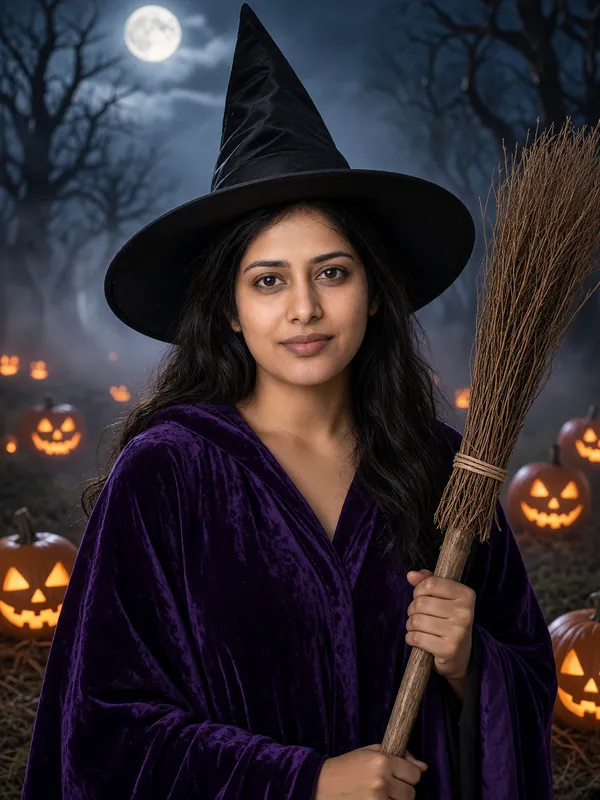
- First preview free
- Ready in about a minute
- Failed photos are never charged
- Deleted within 24 hours
Try it now
Make your photo
Pick a look, add one photo of yourself and press the button. Your first preview is free: low resolution, with a watermark. We give out a limited number of free previews each day.
For adults 18 and over only. Photos and results are deleted automatically within 24 hours, so download the ones you want to keep.
Loading the photo maker...
We could not load the photo maker. Please reload the page and try again.
Already have credits? Sign in with Google
Please keep this page open.
Your photos
Photos are kept for less than 24 hours.
Get more photos
Each credit makes one photo, full-size with no watermark.
- Credits never expire.
- If a photo fails or is blocked, you are not charged: the credit comes straight back.
The basics
What is the witch filter?
It is an AI photo editor that shows you as a witch. Upload a photo of yourself, and the AI makes a new picture of you in a tall pointed black hat and a dark purple velvet robe, holding a wooden broom, in a misty pumpkin patch with glowing jack-o'-lanterns under the moon.
The photo is a half-body shot, so the hat, the robe and the broom all show, not just your face. The witch is an original, generic costume, not a character from a film, show, book or game.
A witch lens in a camera app draws a hat over your live face. This works on a photo you already have and changes your clothes and the whole scene too. Your first preview is free.
How it works
How to make a witch photo of yourself
Upload a selfie
Pick a clear photo of one adult facing the camera, in good light. Your clothes and the background are replaced, so any everyday photo works.
Keep the witch look
The witch look is already picked. Confirm that you are 18 or over and that the photo is yours to use.
Get your witch photo
The preview is ready in about a minute. Unlock the full-size photo with no watermark for 1 credit, then download it.
Tips
Ideas for your witch photo
A witchy party invite
Send it with the invitation, or use it to agree on outfits with friends before the night.
An autumn profile picture
The moonlit pumpkin patch makes a seasonal profile picture for the whole of October.
Plan the real outfit
See the hat and the robe on you before you buy a costume.
Face the camera
Look at the camera with your face uncovered: no sunglasses, masks or hands in front of it.
Looks
Pick your look
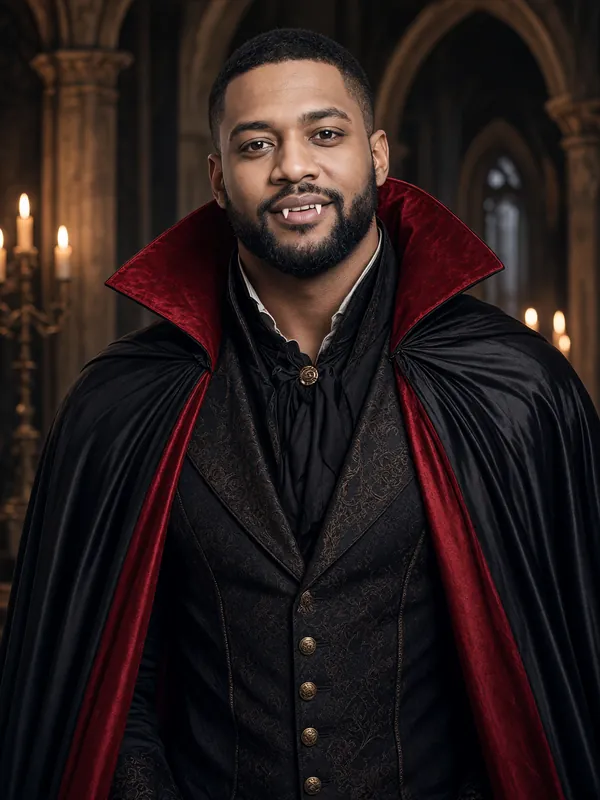
Example result Vampire
A black cape with red lining over a dark Victorian waistcoat, pale makeup and small fangs, in a candle-lit gothic hall.
Make this lookExample result Witch
A tall pointed hat, a dark purple velvet robe and a wooden broom, in a misty pumpkin patch under the moon.
Make this look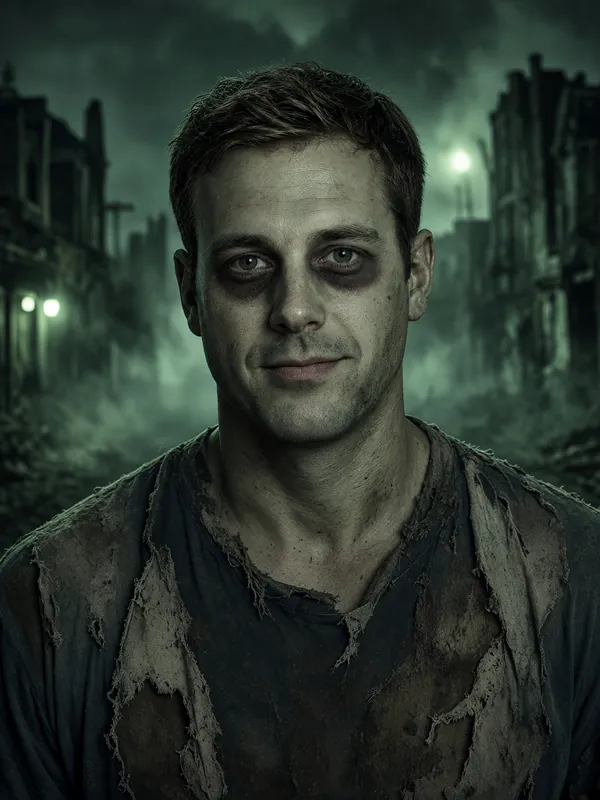
Example result Zombie
Torn, dusty everyday clothes and grey-green face paint, on a foggy street at night.
Make this look
FAQ
Witch filter: questions and answers
Is the witch filter free?
Your first preview is free: you sign in with Google when you make it, and the preview comes in low resolution with a watermark. Each account gets one free preview, and we give out a limited number each day. The full-size photo with no watermark costs 1 credit, and credits start at $9.99 for 50.
Is it a live camera filter?
No. It works on a photo you already have. The AI makes a new photo of you as a witch, which you can download and keep.
What does the witch costume look like?
A tall pointed black hat, a dark purple velvet robe and a wooden broom in one hand, in a misty, moonlit pumpkin patch with glowing jack-o'-lanterns. It is a half-body photo.
Can I use a photo with friends in it?
No. Each photo must show one adult. Photos with more than one face are turned away, and a rejected photo does not use up a credit.
How long does it take?
About a minute for most photos. Keep the page open while your photo is being made.
More ideas
More ways to use AI Halloween Costume
- Halloween filter for photosTurn a selfie you already have into a vampire, witch or zombie photo.
- Zombie filterGrey-green face paint, torn clothes and a foggy street at night.
- Vampire filterA red-lined cape, pale makeup and small fangs in a candle-lit hall.
- Halloween PFP makerA Halloween profile picture made from your own selfie.
Make your costume photo now
One selfie in, one costume photo out, in about a minute.