
Halloween profile picture
Halloween PFP Maker
Make a Halloween PFP from your own selfie, not a picture of someone else. Upload one photo, pick a vampire, witch or zombie look, and see your Halloween profile picture in about a minute.
Make my photo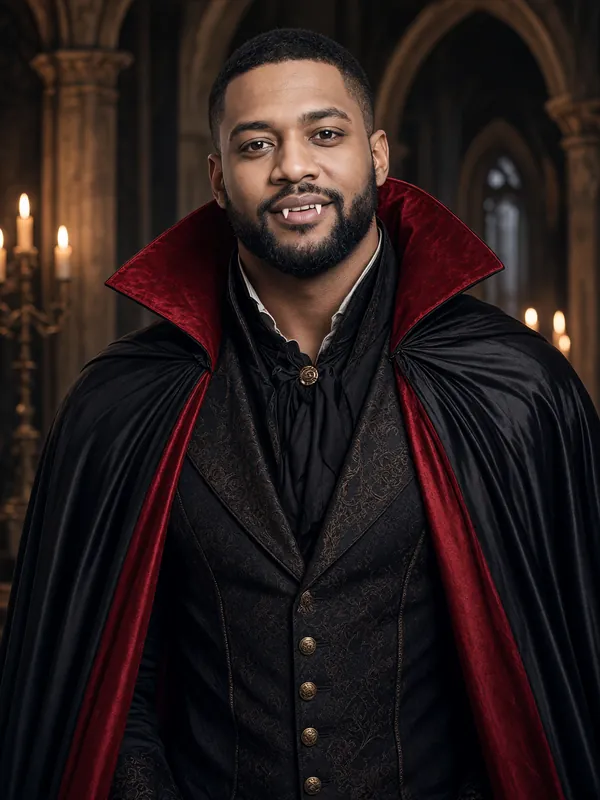
- First preview free
- Ready in about a minute
- Failed photos are never charged
- Deleted within 24 hours
Try it now
Make your photo
Pick a look, add one photo of yourself and press the button. Your first preview is free: low resolution, with a watermark. We give out a limited number of free previews each day.
For adults 18 and over only. Photos and results are deleted automatically within 24 hours, so download the ones you want to keep.
Loading the photo maker...
We could not load the photo maker. Please reload the page and try again.
Already have credits? Sign in with Google
Please keep this page open.
Your photos
Photos are kept for less than 24 hours.
Get more photos
Each credit makes one photo, full-size with no watermark.
- Credits never expire.
- If a photo fails or is blocked, you are not charged: the credit comes straight back.
The basics
Why make your own Halloween PFP?
Most Halloween PFPs are pictures of someone else: a cartoon, an anime character or a stranger in a costume. A PFP made from your own selfie still looks like you, so friends know it is you at a glance while your profile gets into the Halloween mood.
Pick a look: a vampire in a red-lined cape, a witch in a pointed hat, or a zombie with grey-green face paint. The vampire and zombie photos are chest-up portraits, which crop well into the round profile pictures most apps use. The witch photo is half-body, so the hat and the broom show too.
Change your profile picture for October, then switch back after Halloween. Your first preview is free.
How it works
How to make a Halloween PFP
Upload a selfie
A recent, clear selfie of just you, facing the camera, in good light. A photo with other people in it is turned away.
Pick a look
Vampire, witch or zombie. Each one comes with its own costume, makeup and spooky background.
Download it and set it
Unlock the full-size photo with no watermark for 1 credit, download it and set it as your profile picture. Most apps let you move and zoom the picture to fit their circle.
Tips
Tips for a Halloween profile picture
Pick a chest-up look
Vampire and zombie are framed chest-up, so your face stays big in a small circle.
Start with a clear selfie
Your face should be easy to see, with nothing covering it and good light on it.
Use it everywhere
Put the same picture on Instagram, TikTok, Discord, WhatsApp and Facebook, so friends spot it wherever they see you.
Time it for October
Switch it on in October and back in November. Credits never expire, so the ones you do not use stay in your account.
Looks
Pick your look
Example result Vampire
A black cape with red lining over a dark Victorian waistcoat, pale makeup and small fangs, in a candle-lit gothic hall.
Make this look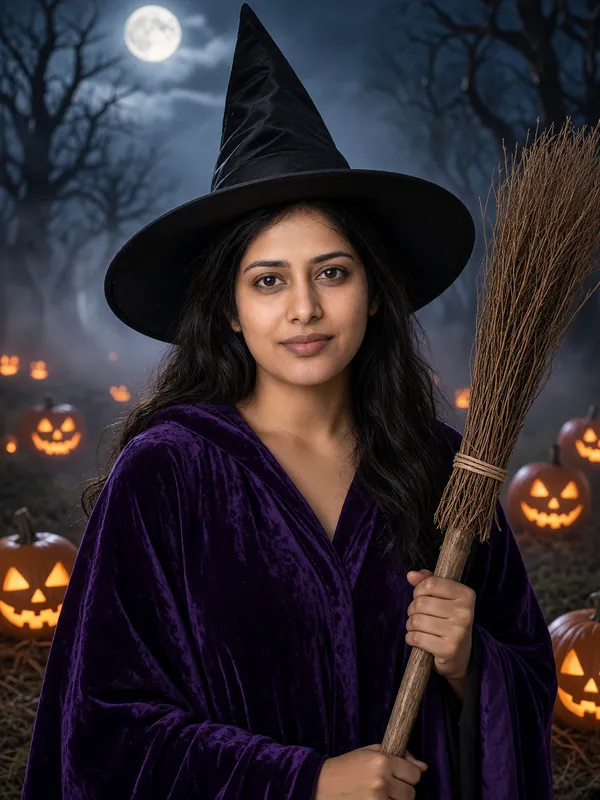
Example result Witch
A tall pointed hat, a dark purple velvet robe and a wooden broom, in a misty pumpkin patch under the moon.
Make this look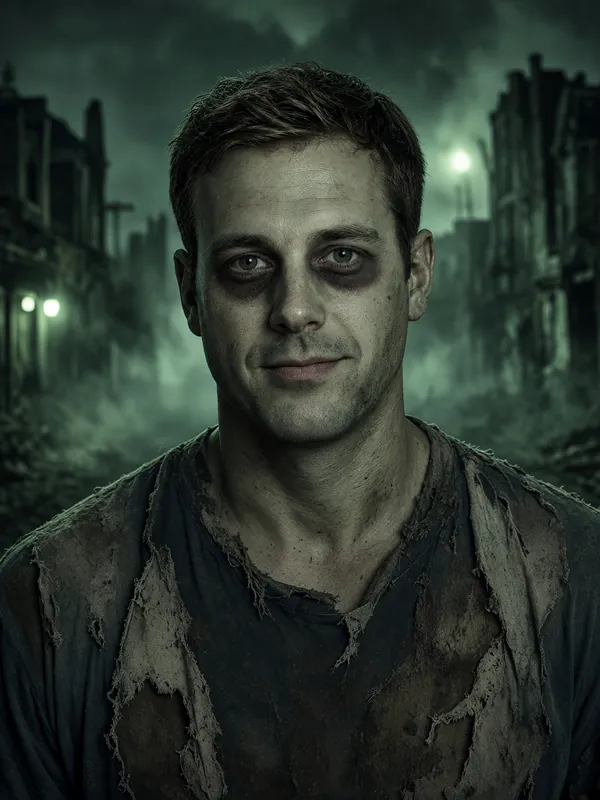
Example result Zombie
Torn, dusty everyday clothes and grey-green face paint, on a foggy street at night.
Make this look
FAQ
Halloween PFP maker: questions and answers
What does PFP mean?
PFP is short for profile picture: the small photo next to your name on social media, chat and gaming apps.
Is the Halloween PFP maker free?
Your first preview is free: you sign in with Google when you make it, and the preview comes in low resolution with a watermark. Each account gets one free preview, and we give out a limited number each day. The full-size photo with no watermark costs 1 credit, and credits start at $9.99 for 50.
What shape is the photo?
It is a 3:4 portrait photo. Most apps let you zoom and move it to fit their square or round frame.
Can I make a matching PFP with a friend?
Yes, one person at a time: each photo must show one adult. Make yours, then your friend makes theirs with the same look for a matching pair.
Can I get an anime or cartoon PFP?
No. The photos are realistic: you, in a Halloween costume. This tool does not make anime or cartoon pictures.
More ideas
More ways to use AI Halloween Costume
- Halloween filter for photosTurn a selfie you already have into a vampire, witch or zombie photo.
- Zombie filterGrey-green face paint, torn clothes and a foggy street at night.
- Vampire filterA red-lined cape, pale makeup and small fangs in a candle-lit hall.
- Witch filterA pointed hat, a purple velvet robe and a broom in a moonlit pumpkin patch.
Make your costume photo now
One selfie in, one costume photo out, in about a minute.